
Did you know that in the HUD (Heads Up Display) of most aircraft in X-Plane there is a tool that helps you to visually align your aircraft to the the runway touchdown point when you have a crosswind messing you around.
The Velocity Vector (often referred to as the Flight Path Vector or FPV, and represented on the HUD as a small circle with tiny wings, sometimes called the “bird”) is one of the most powerful instruments on a HUD in X-Plane.
Instead of showing where the aircraft’s nose is pointing (pitch and yaw), the velocity vector shows where the aircraft is actually physically moving relative to the outside world.
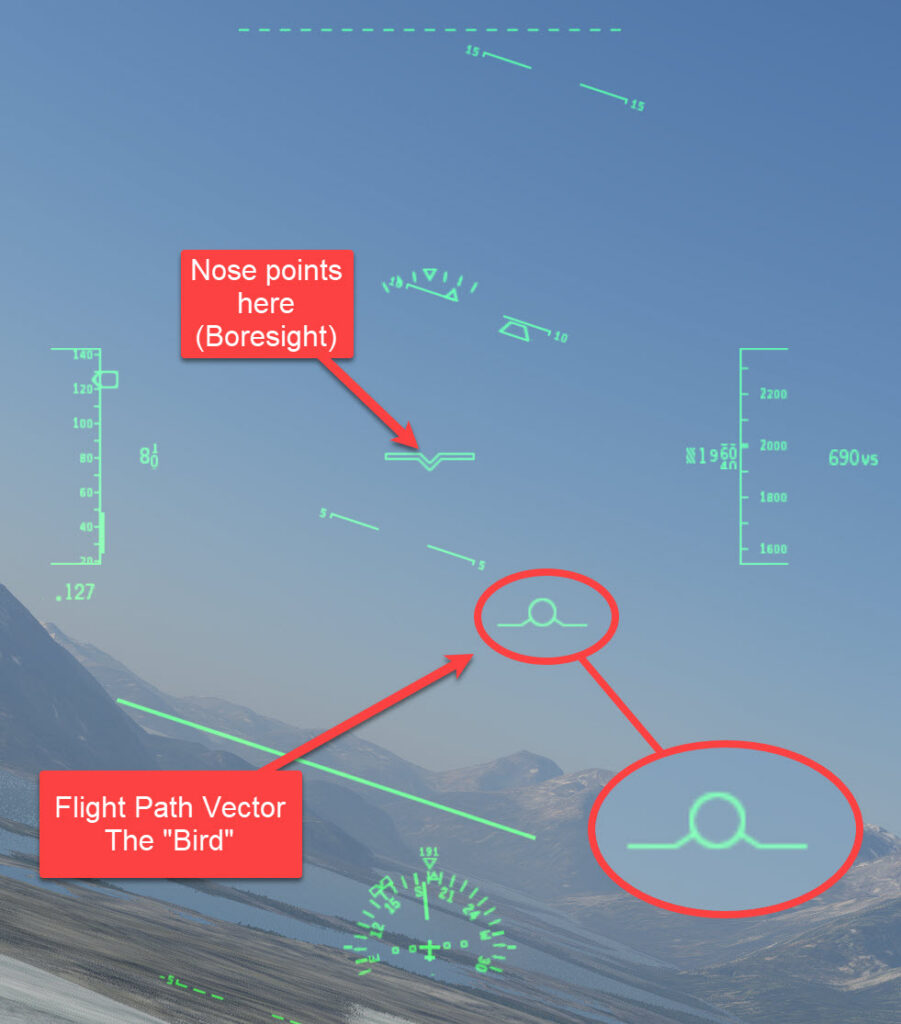
If there is a crosswind from the left, the velocity vector will be displaced to the right of the aircraft’s centerline/boresight cross.
To fly a precise ground track, you keep the velocity vector locked onto the desired meridian or runway extended centerline, rather than the nose symbol.