
Most users new to X-Plane often have difficulty physically manipulating switches. That curved pop-up arrow never seems to work the way you think it should. It’s actually very simple once you understand it.
Let’s take an example of the magneto switch. It is moved anti-clockwise towards the off position by when the Curved white arrow appears. But how?
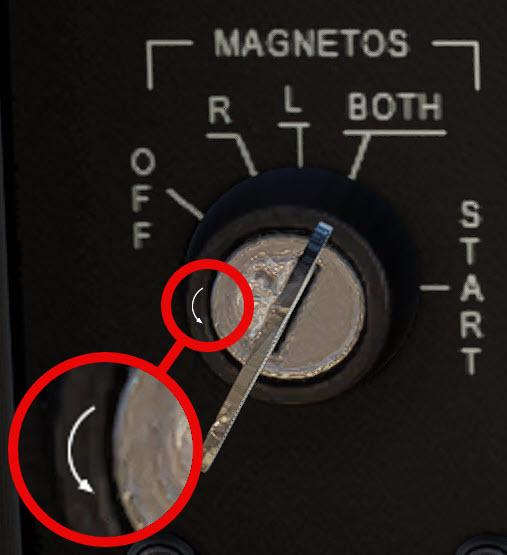
• Move the mouse over the key-switch until either a clockwise or an anticlockwise curved arrow appears.
• Then, click the mouse or roll the mouse wheel while the curved arrow is visible.
Light switches are turned off by clicking when the white arrow appears and points downwards.
Rocker switches are turned off when you click as the white arrow points down when the cursor is moved over the lower part of the rocker.