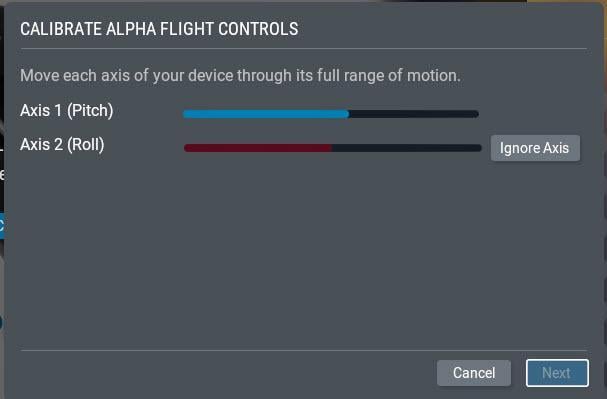
Most times, just calibrating your Joystick from the Settings –> Joystick menu in X-Plane works just fine.
All you need to do is move the controls to their extents, and the ribbon turns blue. Then you click Next, and so on…
But sometimes, the ribbon stubbornly refuses to change to blue or turns blue before you have moved the axes to their full extent.
So what do you do?
You first calibrate the joystick(s) in Windows first.
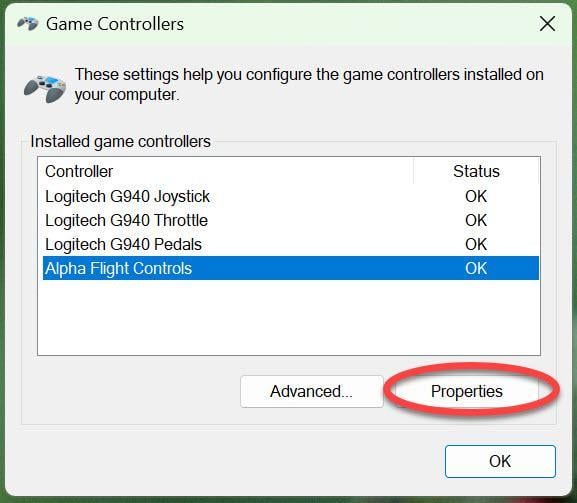
Type USB into the Windows search box and click 
Then select the offending peripheral and click Properties:
Then click the Settings tab and the Calibrate button:
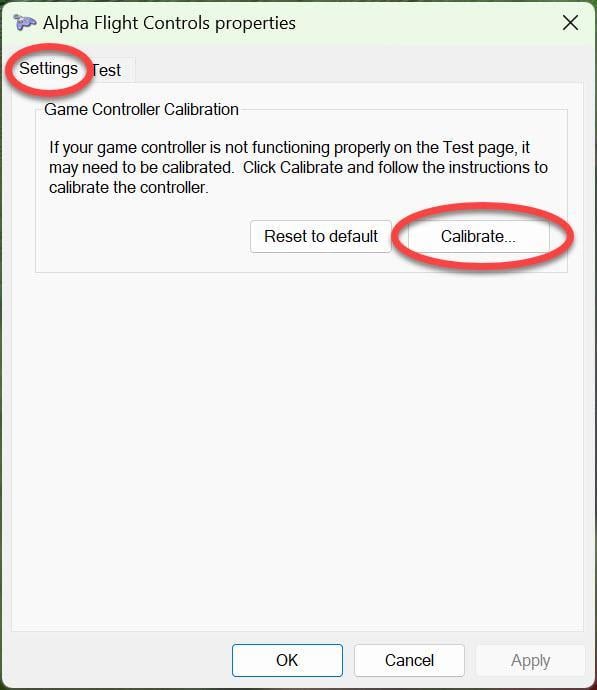
and go through the calibrate routine.
Then start X-Plane and at the main menu click the Settings option, and then select the Joystick pull-down menu, select your peripheral :

Click Calibrate and go through the standard X-Plane calibration routine: