Most X-Plane users know that pressing 
 creates a screenshot which is stored in the …X-plane 12\Output\screenshots folder.
But there is a problem… You have to pause  and then change the camera position. But by then you have probably already flown too far.
Here’s a neat trick – at any time during your flight, press to pause and then 
 to toggle the replay mode.
The replay scrubber appears : 
and you can now scrub the video to exactly the point in your flight that interests you, use the view controls to adjust the screenshot camera and take your shot.
Then simply toggle again to carry on flying where you left off.
Better screenshots
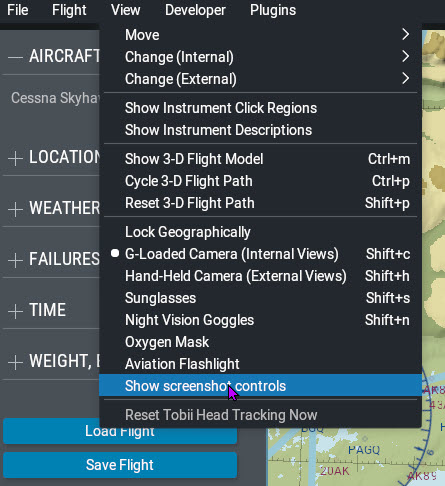
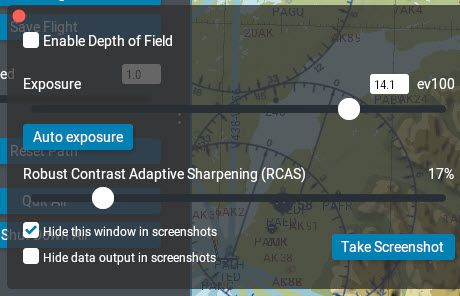
Click View –> Show screenshot controls and a window appears allowing you to adjust exposure, depth-of-field and sharpening.