
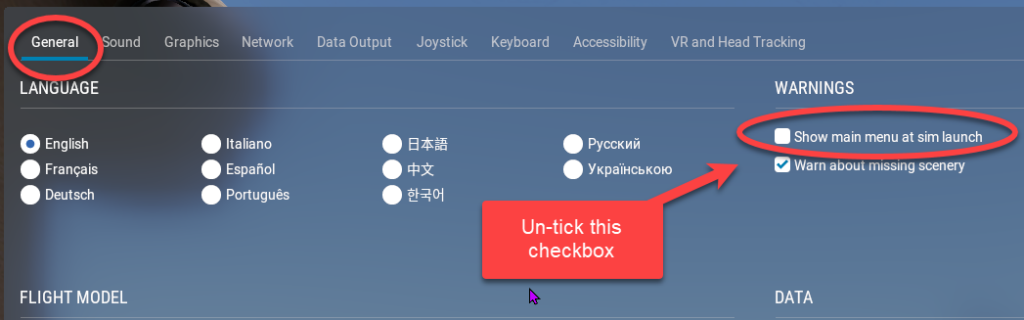
When you simply want to quickly get going again where you left off, there is an option on the Settings –> General page, strangely located under the WARNINGS section, to un-tick the “Show main menu at sim launch” checkbox. This completely bypasses the main menu and automatically launches X-Plane with the RESUME LAST FLIGHT option.
To get the main menu to show again, simply click the drop-down settings icon in the top right corner of the X-Plane Screen:
