I came across this problem with a new X-Plane install.
The Scenario:
A virginal installation. Joysticks calibrated.
- First flight in the default Cessna C172.
- Release handbrake,
- Add 70% throttle.
- Prop spins up.
- Audio changes to take off growl.
The Problem:
The aircraft does not move.
Unsuccessful fix attempts:
- Press
 once. Nope. Press the key again. No change.
 - Check if any command with the word “brake” in it is associated with any hardware switch
- Click the handbrake image to release it. No change.
- Restart flight. Same story – aircraft won’t move
The solution:
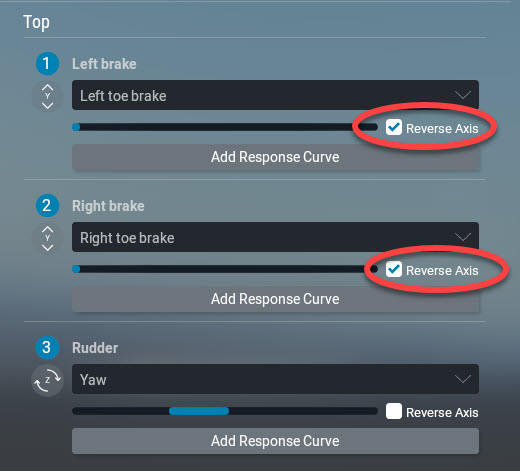
Sometimes the pedals axes are reversed in a new installation.
Go to the Option: Settings –> joystick –> pedals device and Click the “Reverse Axis” checkbox for each pedal .