
If you are a new user of X-Plane, learning to fly properly, and you are confused about how ATC works, X-Plane can help you by showing you how it is done.
Start a new flight from any metropolitan airport (Mid size – not an airstrip but not a large international). Choose a small GA aircraft. Ideally, in an area you are familiar with in real life.
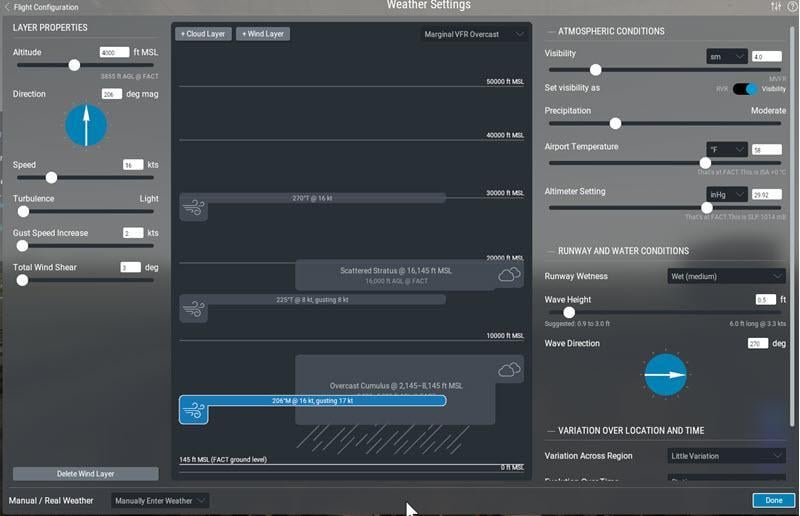
Set the weather to “Marginal VFR Overcast” and precipitation at “Moderate”. Set a wind speed of 16kts at an altitude of 4000ft
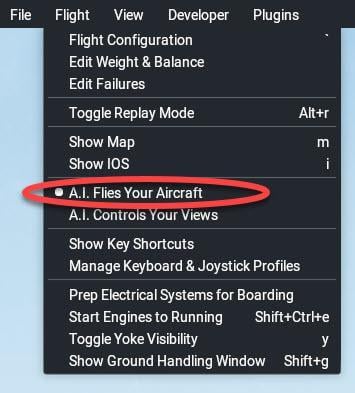
Click “A.I. Flies Your Aircraft” from the Flight pull-down menu:
After a while, the aircraft will come to life, and you will see the ATC panel. A.I. will choose a destination airport and will automatically take off, fly the route and land. All you need to do is watch the ATC conversation and see what ATC says, how the AI pilot replies, and then how “he” reacts. It is particularly useful to do this in cloud conditions where you cannot see the ground and quickly lose orientation. Watch how the A.I. pilot relies on instruments and ATC instructions. Watch how quickly the A.I. obeys ATC.
Once the flight is complete, try it yourself without A.I.
Remember to “read back” every communication ATC sends you.
Note – when trying this tip, set the number of A.I. aircraft to zero.
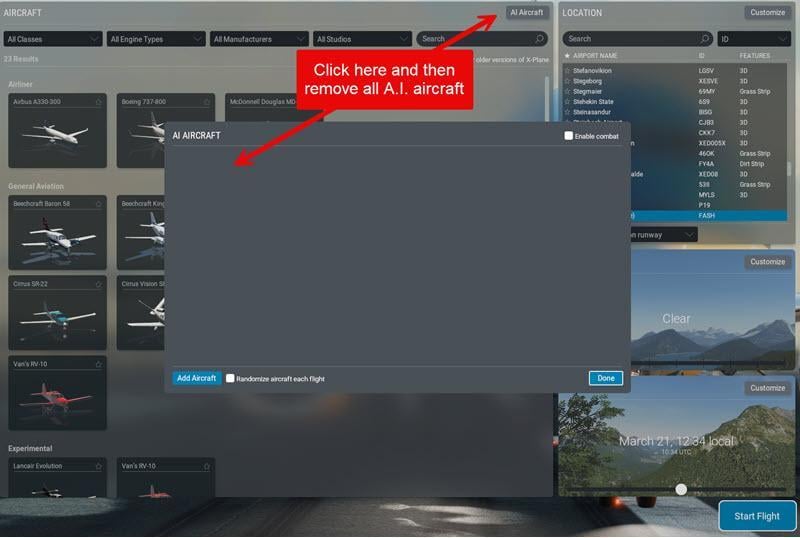
When there are many A.I. Aircraft around, ATC often gets very slow.

